Crime Prevention Tips: February 2021
Each month, the Public Safety develops and distributes crime prevention tips covering topics of interest to the public, with the intention of educating the community about crime trends and prevention strategies.
The following crime prevention tips have been designated as the crime prevention tips of the month:

Lock both your frame and rear wheel to an immovable object getting the tightest fit possible! Say NO to cable locks, they can easily be cut, and your bike removed. You can use a cable lock as a secondary lock in conjunction with a good U-Lock as your primary lock.
Check out this informative video on how to prevent your bike from being stolen: https://youtu.be/KQ_DnrmRAjs
Securing your bike on campus? Use one of the over 300 bike racks on campus: https://publicsafety.columbia.edu/content/maps-schedules
CU Public Safety offers free bike registration with the NYPD / CU Public Safety and discount Kryptonite Bike locks.
https://publicsafety.columbia.edu/.../DPS_Bike_Locks-2020....
For more information or to set up an appointment, please email [email protected]
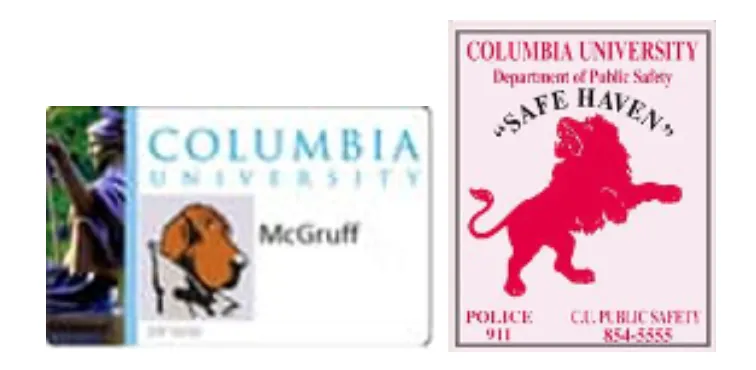
Occasionally, Columbia students, faculty, or staff may feel uneasy about walking home, waiting for a bus, or walking to a car. If that ever happens to you, just look for the Red Lion sticker at participating neighborhood merchants.
The Red Lion is the logo for the CU Public Safety Safe Haven program organized by the Columbia University Department of Public Safety. Over 146 businesses near the Morningside, Manhattanville, Medical Center Campuses and by our Baker Field sports complex have been screened and participating in the program.
At businesses featuring the Red Lion in their windows, you can ask the merchant to phone Columbia University's Department of Public Safety or call the Police (911) and wait for Public Safety / NYPD personnel to respond.
There are several stores participating in the Safe Haven Program that offer discounts with your CUID. To view a list of these stores and other stores participating in the program please view: Safe Havens

Scammers know that finding a job can be tough especially now during this pandemic. To trick people looking for honest work, scammers advertise where real employers and job placement firms do. They also use spoofed e-mails to make you think that they are coming from a legitimate organization, person, or even a member of the Columbia Community. They make upbeat promises about your chances of employment, and virtually all of them ask you to pay for their services before you get the job. But the promise of a job isn’t the same thing as a job. If you have to pay for the promise, it’s likely a scam.
In some of the reported incidents, the scammers sent spoofed emails to several students here at the University offering employment. The scammer went as far as sending the victims a check (fraudulent) via priority mail or a PDF via email. Then ask the victim to deposit the check in their account and immediately start making purchases or sending money.
There are many variations to this scam but all end with the same ending…you deposit the check, send them the material or cash, and now you get a notice from your bank that the check you deposited was fraudulent. You are now out of the money that you sent, you are charged a bank fee for the bounced check and a negative report on your credit.
Remember NO legitimate company will ask you to pay for any material or certification before giving you the job or even starting a job.
While we cannot prevent phishing, we can train ourselves to follow best practice guidelines and report suspicious activity including:
- Do not give out personal information via email. Social engineering is the process of deceiving individuals into providing personal information to seemingly trusted agents who turn out to be malicious actors.
- Always verify the authenticity of requests from companies or individuals by contacting them directly. If you are asked to provide personal information via email, you should independently contact the company directly to verify this request.
- Be suspicious of unknown links or requests sent via email or text message. Do not click on unknown links or answer strange questions sent to your mobile device, regardless of who the sender appears to be.
- Look at the email address that has sent you the offer. Does it match the name they are providing? University officials will not use a Gmail account to correspond.
If you think it's suspicious, report it:
- Report the email to [email protected] with full headers (see "How to report a suspicious email to [email protected]," below) so the CUIT Cybersecurity team can investigate.
- CUIMC Users: If the suspicious email was sent to a @cumc.columbia.edu email address, please send the phishing attempt with full headers to [email protected].
- If in doubt, contact the CUIT Service Desk at 212-854-1919. (CUIMC Users: 212-305-4357, option 5.)
- If you already clicked on a phishing link or have entered your information on a suspicious site:
- Change your password at Manage My UNI immediately. (CUIMC Users should update with myPassword).
- Contact the CUIT Service Desk at 212-854-1919. CUIMC Users: 212-305-4357, option 5.)
Check out the Don't Get Hooked page for additional information on how to protect yourself. Please view an informative video from the Federal Trade Commission on Job Scams:
People lose a lot of money to phone scams, sometimes their life savings. Scammers have figured out countless ways to cheat you out of your money over the phone. In some scams, they act friendly and helpful. In others, they might threaten or try to scare you. Tips on how to prevent from becoming a victim: Phone Scams
Protect Seniors From Online Fraud and Phone Scams
Scams targeting older adults take many forms, ranging from callers posing as grandchildren in need of financial assistance to emails directing people to fake bank websites where cons collect login credentials. The techniques evolve every year but the outcome is always the same: Many seniors end up losing money. Knowledge is power, check out these tips on how to avoid being a victim: Protecting Seniors